Mimi Bouquet: A Versatile Graphic Design Asset for Crafts and Commercial Use
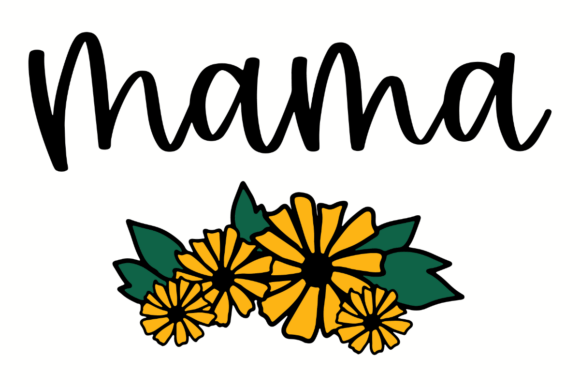
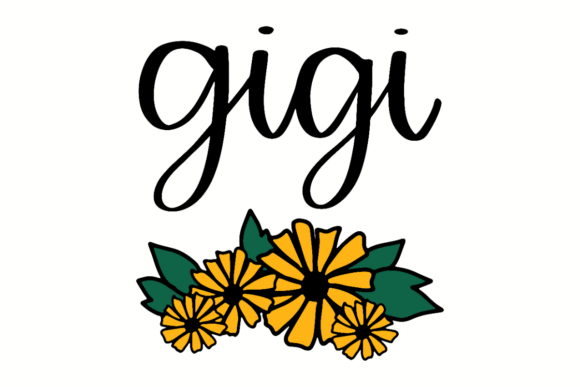
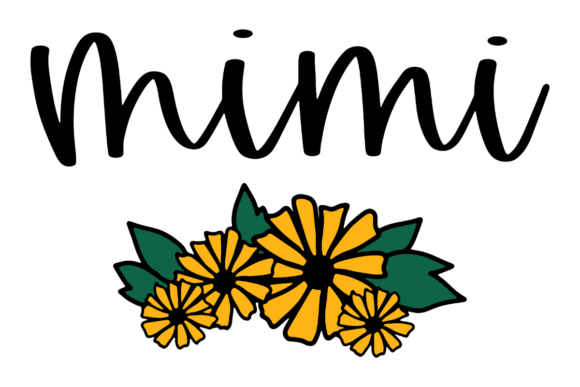
As a seasoned digital product creator with experience in graphic design, print-on-demand, and online marketplace selling, I always look for assets that not only stand out visually but also perform well across a variety of products. Recently, I had the chance to evaluate Mimi Bouquet, a hand-lettered digital design featuring the word “Mimi” paired with a cheerful yellow floral illustration. Here’s how it fits into real-world creative scenarios and what you should consider before using it in your own shop.
First Impressions: Warmth and Charm
The first thing that caught my eye about Mimi Bouquet was its warmth. The script for “Mimi” is clearly hand-lettered, giving it a personal and heartfelt feel. Paired with the bright yellow flowers, the design radiates positivity and nostalgia—perfect for celebrating family bonds or special occasions like Mother’s Day, birthdays, or anniversaries.
This asset doesn’t scream bold or modern minimalism, but it does have a strong emotional appeal. It feels like something you’d find in a boutique-style craft store, yet it’s fully digital and ready for commercial use. The color palette is gentle but vibrant, making it suitable for both handmade business aesthetics and more polished print-on-demand offerings.
Real-World Applications for Sellers
Mimi Bouquet has a lot of potential when applied to various digital products. Here are some of the ways I see this asset shining:
- Etsy Products: Ideal for printable wall art, greeting cards, and invitation templates. Its charm could attract customers looking for sentimental designs.
- SVG Designs: The clean lines of the lettering and flower make it suitable for Cricut projects like custom stickers, signage, or layered cutouts.
- Printable Wall Art: The large floral elements work beautifully on bigger canvases, especially when paired with soft background textures.
- T-Shirt Graphics: The playful yet elegant style could be used for casual tops, especially in pastel shades to complement the yellow tones.
- Bundled Clipart: When grouped with other similar hand-lettered graphics, this could become part of a seasonal or holiday-themed design bundle.
- Canva Templates: The design adds visual interest to social media posts, blog headers, or promotional banners for small businesses.
- Nursery Prints: With its soft, decorative nature, it could fit well in baby-themed or family-oriented product collections.
I particularly appreciated how adaptable the asset felt. Whether I placed it on a mug, tote bag, or as part of a scrapbooking kit, it maintained a sense of personality without overwhelming the layout.
Product Presentation and Market Appeal
One of the key factors in selling any graphic design asset is how it looks in product mockups. I tested Mimi Bouquet on several platforms and found that it performed best on light backgrounds where the yellow hues could pop. On darker tones, the colors lost some vibrancy, so it’s important to highlight it correctly in your listings.
For creative marketplace sellers, the thumbnail preview is crucial. I found that the floral elements helped create immediate visual appeal, which can boost click-through rates. When paired with a high-quality white background and subtle drop shadows, the design becomes even more inviting.
If you're planning a themed collection—like a “Grandma’s Garden” or “Family Traditions” set—this design can serve as a cornerstone. It supports visual storytelling by evoking a sense of tradition and love, which helps build customer trust and perceived value.
Where This Design Excels
Mimi Bouquet works especially well in these formats and contexts:
- Large Product Previews: The detail in the flowers and script is most visible at larger sizes, making it great for posters or canvas prints.
- Decorative Layouts: Its organic, hand-crafted look suits designs that prioritize mood over precision, such as planner stickers or journal embellishments.
- Printable Products: As a digital download, it’s easy to apply to calendars, quotes, or DIY kits for crafters.
- Merchandise Graphics: Especially for tumbler wraps, mugs, and tote bags where a warm, personal touch is desired.
- Seasonal Collections: Think spring, Easter, or Mother’s Day bundles where floral themes and familial titles are popular.
It also blends well with other styles. For example, pairing it with a serif font for headings gives a classic, premium feel, while combining it with a sans serif keeps things fresh and modern. The versatility allows it to adapt to different brand identities and customer preferences.
Potential Pitfalls to Watch For
While Mimi Bouquet has a lot going for it, there are a few areas where caution is needed:
- Small Sticker Details: The intricate parts of the flowers may not scale well down to tiny stickers. Test it at minimum size to ensure clarity.
- Crowded Thumbnails: If you’re bundling multiple designs, avoid cluttering the preview image. Let Mimi Bouquet take center stage to maintain its impact.
- Low-Resolution Print Jobs: Always confirm the file resolution (300 dpi recommended) before offering it for physical products. Lower quality can affect the final output.
- Dark Backgrounds: While it works on lighter tones, the yellow might fade if not contrasted properly. Consider adding a soft overlay or border to enhance visibility.
- Cricut Projects: If you're using it for die-cutting, inspect the SVG paths carefully. Any inconsistencies in the cut lines could lead to issues during production.
Another consideration is how it interacts with text-heavy templates. The floral elements might get lost behind dense paragraphs unless you adjust spacing or layering. It's best suited for designs with open space and clear focal points.
Practical Seller Tips Before Publishing
Here are a few steps I recommend before publishing any product using Mimi Bouquet:
- Test on Mockups: Try it on actual product mockups—t-shirts, mugs, and even paper goods. See how it translates from screen to merchandise.
- Preview as Marketplace Thumbnail: Create a version optimized for Etsy or Shopify thumbnails. Focus on the main elements to draw attention quickly.
- Check Background Compatibility: Make sure the design looks good on both white and dark backgrounds. Adjust shadows or outlines if necessary.
- Verify Print Colors: If you're printing yourself or using a print partner, test the colors on physical stock to ensure they match expectations.
- Confirm PNG Transparency: For layered designs or overlays, check that the transparent background renders correctly in all editing software.
- Inspect SVG Cut Quality: If you plan to use it in Cricut or Silhouette projects, review the vector paths for accuracy and smoothness.
- Organize Files Clearly: Provide your customers with well-labeled files—PNG, SVG, EPS, and JPEG—so they can easily choose the right format for their needs.
- Pair Thoughtfully: Experiment with complementary fonts—serif for elegance, sans serif for readability, script for matching vibes, and display fonts for headers.
- Confirm Licensing: Double-check the commercial license terms to ensure you’re allowed to sell finished products created with the asset.
These steps help ensure that the design remains professional and effective, no matter how it's used. They also reflect the care and attention that serious digital creators bring to their product development process.
Final Thoughts on Mimi Bouquet
In summary, Mimi Bouquet is a solid addition to any graphic design asset library, especially for those who focus on crafts and sentimental themes. It brings a unique blend of elegance and playfulness that can elevate your product mockups and add emotional resonance to your offerings.
However, it's not a one-size-fits-all solution. Its success will depend on how well it aligns with your target audience and the specific product types you offer. If you're creating digital paper packs or Canva templates for family celebrations, this could be a perfect fit. But for technical or minimalist designs, it may not be the best choice.
Before committing to a listing, take time to test the design in your usual workflow. Try it on your go-to products, tweak the colors, and run it through your favorite editing tools. That way, you’ll know exactly how it performs—and whether it deserves a place in your next design bundle.